IBM Granite 3.0 is the latest evolution of large language models (LLMs) designed specifically for enterprise use. In this short blog, I want to demonstrate how to deploy the new Granite 3.0 models on IBM Power and how to connect them to your VSCode workspace locally.
Granite 3.0 on P10
Shout out to Marvin Gießing and his team for helping me get granite3 deployed on Power!
To get started with granite3 on Power, all you need is a P9/P10 system with podman. We can leverage Ollama which has already adopted the granite3 family of models into their library! Here is a step-by-step guide to run the models on Power:
1. start the ollama container
podman run -d --privileged \
  -v ollama:/root/.ollama \
  -p 11434:11434 \
  --name ollama \
  quay.io/mgiessing/ollama:v0.3.14
2. Run the granite3-dense2b model
podman exec -it ollama ollama run granite3-dense:2b3. Use all available threads on your P10 (I have 8cores@SMT2 => 16 threads)
>>> /set parameter num_thread 164. Ask the model something!
>>> Write a 300 word blurb about IBM Power10watch it in action:
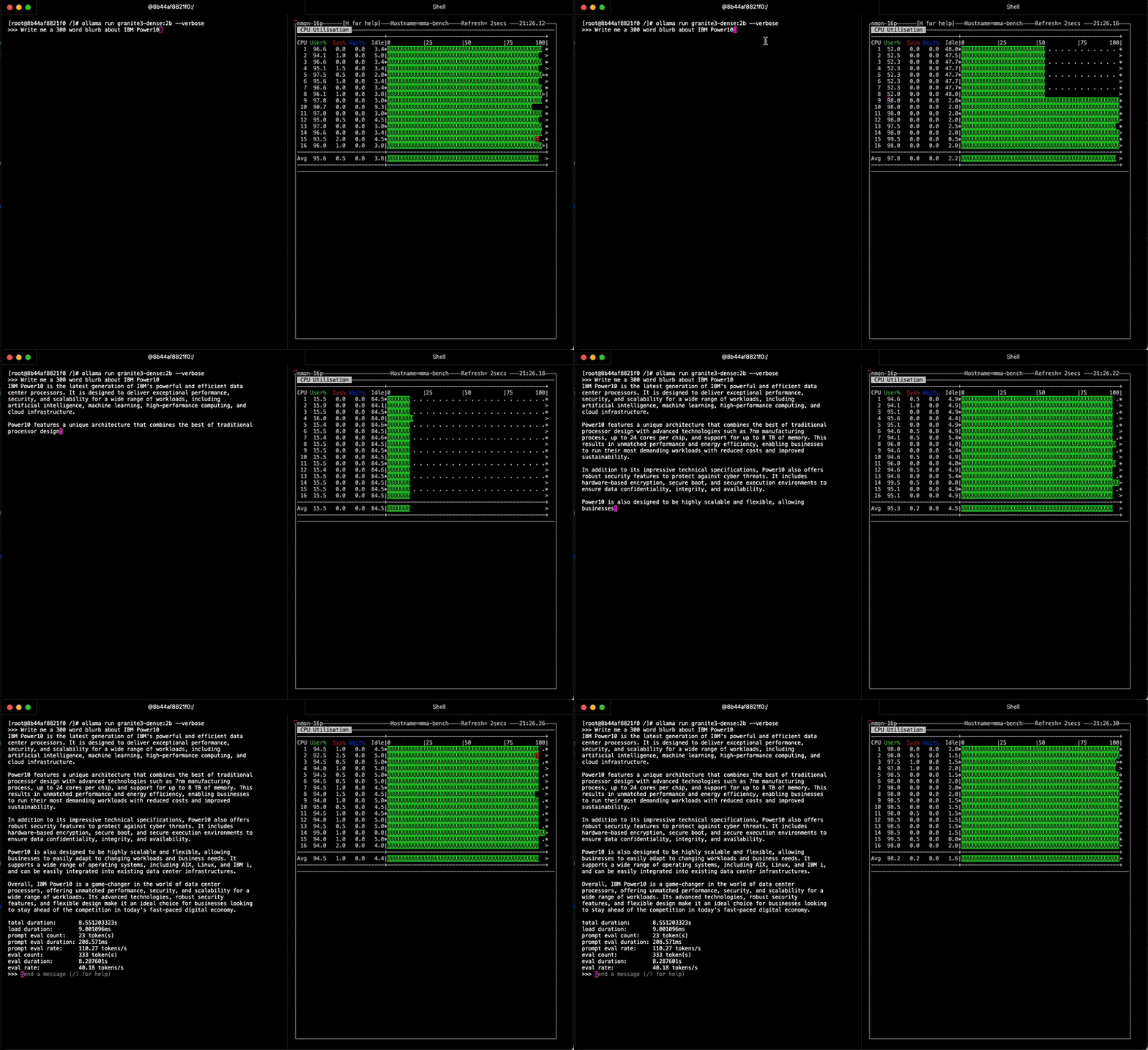
Check out that Power10 performance
total duration:       8.551203323s
load duration:        9.001096ms
prompt eval count:    23 token(s)
prompt eval duration: 208.571ms
prompt eval rate:     110.27 tokens/s
eval count:           333 token(s)
eval duration:        8.287601s
eval rate:            40.18 tokens/s
Continue
Now that we have the Granite 3.0 models running on Power, lets use the Ollama API to use the models from inside VSCode using the Continue extension.
Continue is an open-source AI-powered code assistant designed to integrate seamlessly with your IDE, such as VSCode or JetBrains. It helps developers by offering features like code autocompletion, chat-based code referencing, and natural language code rewriting. Continue supports various AI models, making it adaptable to different programming needs, and it’s designed to accelerate development by keeping developers in their flow without interruptions. You can customize it to fit specific use cases, making it a valuable tool for enhancing productivity in software development.
Install Continue
Follow these instructions to download the VSCode extension:
Configure
Next, we need to add our configuration for the granite3 model. Continue works seamlessly with many different LLM providers and includes built-in support for Ollama!
If you’re using the extension for the first time, you’ll see a helpful walk-through that guides you through setting up your first model.
To access the configuration settings, open the command pallet in VSCode (cmd+shift+P):

This opens the ~/.continue/config.json file in your editor. In the models section, add the configuration for Granite running on your P10 instance:
"models": [
   {
     "title": "Power10 - ollama:granite3-dense:2b",
     "provider": "ollama",
     "apiBase": "http://HOST:11434",
     "model": "granite3-dense:2b"
   },
]
where HOST is the IP of your system.
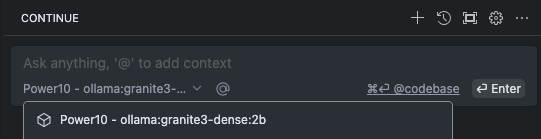
Once you update your config.json, save the file and then select the model Power10 - ollama:granite3-dense:2b from the drop down in the chat interface. And that’s it! You can now use the granite3 models deployed on Power right within your VSCode workspace
Continue Features
Continue has a lot of great features out of the box, here are some highlights
Code Explanation using Granite 3.0 on P10:
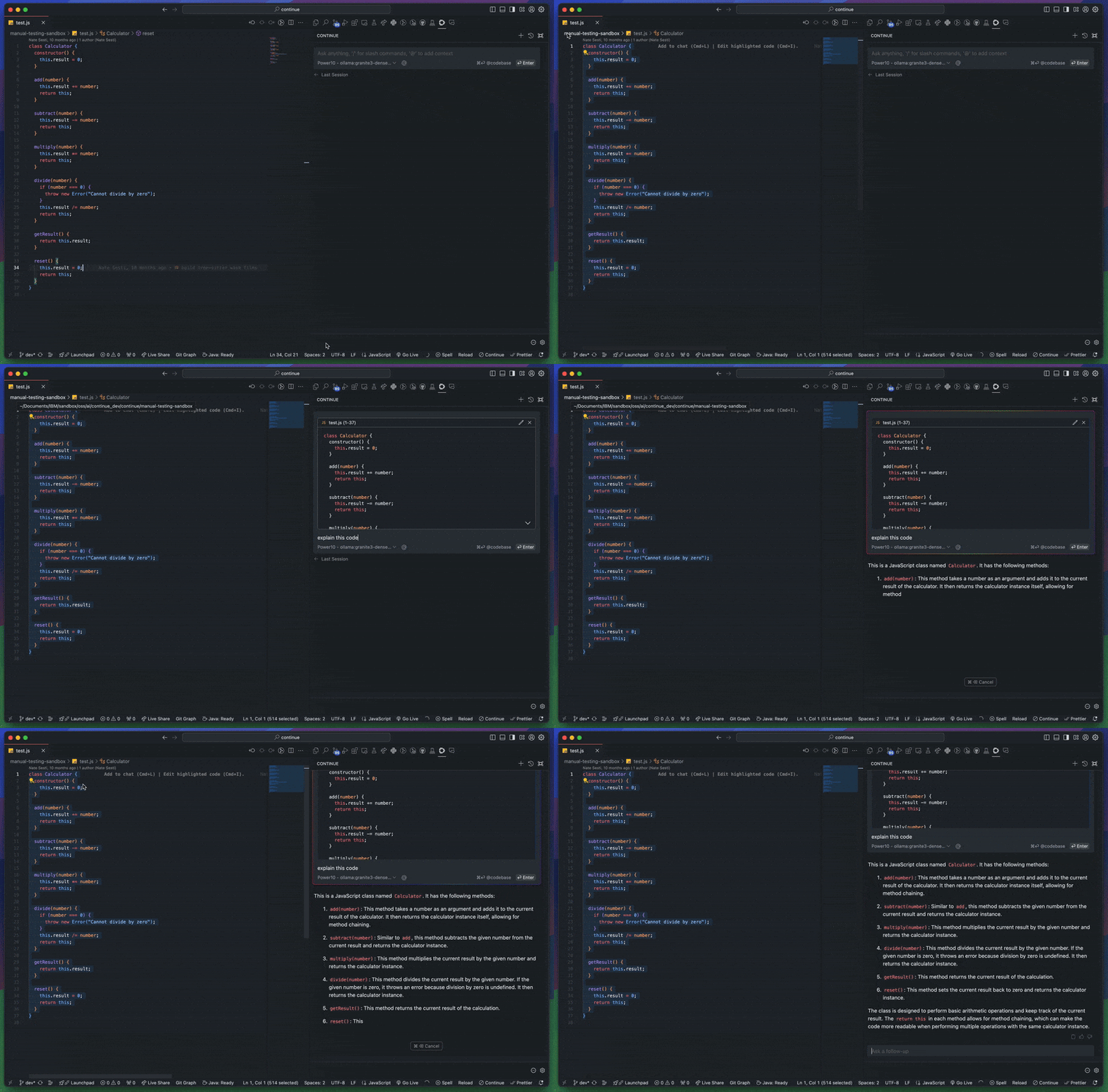
Inline editing (cmd+I) using Granite 3.0 in P10:
Future work
This should be enough to get you started on using Continue and Ollama running on Power10. In the future, I plan to release more tutorials and demos on using Continue for IBM Power specific use cases, such as:
- using AI for IBM i programming
- SQL code assistant and Db2 context provider
- RAG solutions for IBM Power
Links
- IBM release Blog: https://www.ibm.com/new/ibm-granite-3-0-open-state-of-the-art-enterprise-models
- The models are open source and available on Hugging Face!
- ollama granite3 library: https://ollama.com/blog/ibm-granite
- Continue docs: https://docs.continue.dev/
- original post: https://github.com/ajshedivy/blog/issues/1